Linux Foundation CKS - Certified Kubernetes Security Specialist (CKS)

- Exam Code: CKS
- Exam Name: Certified Kubernetes Security Specialist (CKS)
- Updated: Sep 23, 2026
- Q & A: 66 Questions and Answers

When the exam changes, we move. The moment Linux Foundation Certified Kubernetes Security Specialist (CKS) content is updated, TestPDF's experts devote their time to research and revision, keeping the CKS bank current — and your copy updates free for 365 days.
| Certification Vendor: | Linux Foundation / CNCF |
|---|---|
| Exam Name: | Certified Kubernetes Security Specialist |
| Exam Number: | CKS |
| Certificate Validity Period: | 2 years |
| Real Exam Qty: | 15-20 tasks |
| Exam Duration: | 120 minutes |
| Related Certifications: | Certified Kubernetes Application Developer (CKAD) Certified Kubernetes Administrator (CKA) |
| Available Languages: | Japanese, Simplified Chinese, English |
| Passing Score: | 67% |
| Exam Price: | $445 USD |
| Exam Format: | Command-line operations, Performance-based, Online proctored, Hands-on tasks |
| Recommended Training: | LFS260: Kubernetes Security Essentials |
| Exam Registration: | Linux Foundation Training Portal |
| Sample Questions: |  |
| Exam Way: | Online, remotely proctored, live monitoring via webcam and screen sharing |
| Pre Condition: | Must hold valid, non-expired Certified Kubernetes Administrator (CKA) certification |
| Official Syllabus URL: | https://training.linuxfoundation.org/certification/certified-kubernetes-security-specialist/ |
| Section | Weight | Objectives |
|---|---|---|
| Cluster Setup | 15% | - Network security policies - CIS benchmark compliance - Binary verification - Secure Ingress configuration - Node metadata protection |
| Cluster Hardening | 15% | - Service account security - RBAC configuration - Component updates & vulnerability mitigation - API access restriction |
| Minimize Microservice Vulnerabilities | 20% | - OPA/Gatekeeper implementation - Security contexts - Pod Security Standards - Isolation & multi-tenancy - Secret management |
| Supply Chain Security | 20% | - Permitted registries - Static analysis tools - SBOM & CI/CD security - Signed artifacts & verification - Image security & scanning |
| System Hardening | 10% | - Least privilege IAM - Kernel hardening (AppArmor, seccomp) - Minimize OS attack surface - Network access control |
| Monitoring, Logging and Runtime Security | 20% | - Incident investigation - Threat detection (Falco) - Container immutability - Audit log configuration - Behavioral analytics |
Immediately and easily. Upon successful payment, our system sends the product file to your mailbox automatically — typically within about a minute — with an instant download link as well. If nothing arrives within two hours, check your spam folder and contact support. Installations are unlimited, the PDF supports printing for paper-based review, and your purchase includes 365 days of free updates: whenever the exam content changes, the latest version reaches you automatically, with a 50% renewal discount after the year ends.
The Linux Foundation Certified Kubernetes Security Specialist (CKS) blueprint covers these principal domains:
The remaining domains appear in the full official outline, all of which our bank addresses.
As of the latest information, the passing score for the CKS exam is 67% and the fee is $445 USD. Linux Foundation can revise both, so confirm the current figures on the official site before registering.
Registration runs through the official channels below:
Choose your center or online session, and reserve early for the most convenient dates.
Documented and dependable. If you fail the corresponding exam within 60 days of purchase, email us a scanned copy of your enrollment slip and your official Score Report PDF within two days of the exam date; verified claims are refunded in full within seven days. Exclusions apply: exams taken within three days of purchase, candidate names that do not match the payer, and free or expired products. Alternatively, request a free exchange for two products of equal value.
Linux Foundation recommends these official training options:
Pick the course matching your experience, then reinforce it with regular question practice.
Linux Foundation lists the following prerequisites for the Linux Foundation Certified Kubernetes Security Specialist (CKS): Must hold valid, non-expired Certified Kubernetes Administrator (CKA) certification.
Confirm the details on the official certification page before you book.
Per current exam information, the CKS exam includes 15-20 tasks questions and allows 120 minutes minutes. Timed practice beforehand makes the format feel routine on the day.
Because every step respects your time. Buying is a simple, transparent procedure: choose your version or package, see the cost generated automatically, confirm, and order — then the materials arrive by email in about a minute. The CKS content is clear, the main points easy to acquire, and every answer expert-verified; the PDF prints for paper review. When the exam changes, our experts devote their energy to immediate research and revision, and critical comments trigger improvement measures as soon as possible. A free demo lets you run a mini-test and confirm quality first, and your personal information is protected on an integrity-based platform throughout.
SIMULATION
A container image scanner is set up on the cluster.
Given an incomplete configuration in the directory
/etc/kubernetes/confcontrol and a functional container image scanner with HTTPS endpoint https://test-server.local.8081/image_policy
1. Enable the admission plugin.
2. Validate the control configuration and change it to implicit deny.
Finally, test the configuration by deploying the pod having the image tag as latest.
Correct Answer:
SeetheExplanationbelowExplanation:
ssh-add ~/.ssh/tempprivate
eval "$(ssh-agent -s)"
cd contrib/terraform/aws
vi terraform.tfvars
terraform init
terraform apply -var-file=credentials.tfvars
ansible-playbook -i ./inventory/hosts ./cluster.yml -e ansible_ssh_user=core -e bootstrap_os=coreos -b --become-user=root --flush-cache -e ansible_user=core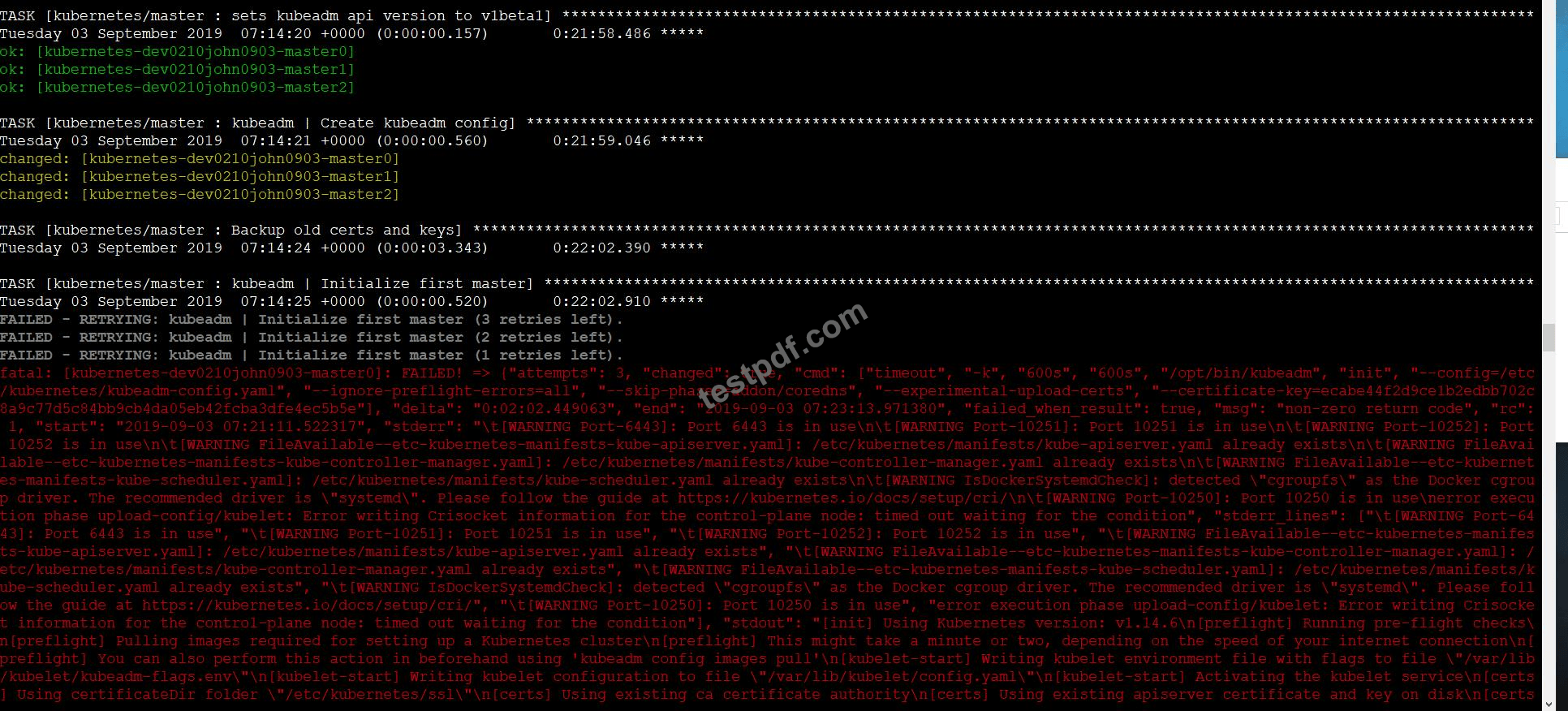
SIMULATION
You must connect to the correct host . Failure to do so may
result in a zero score.
[candidato@base] $ ssh cks000023
Task
Analyze and edit the Dockerfile located at /home/candidate/subtle-bee/build/Dockerfile, fixing one instruction present in the file that is a prominent security/best-practice issue.
Do not add or remove instructions; only modify the one existing instruction with a security/best-practice concern.
Do not build the Dockerfile, Failure to do so may result in running out of storage and a zero score.
Analyze and edit the given manifest file /home/candidate/subtle-bee/deployment.yaml, fixing one fields present in the file that are a prominent security/best-practice issue.
Do not add or remove fields; only modify the one existing field with a security/best-practice concern.
Should you need an unprivileged user for any of the tasks, use user nobody with user ID 65535.
Correct Answer:
See the Explanation below for complete solution
Explanation:
0) Connect to the correct host
ssh cks000023
sudo -i
PART A - Fix ONE prominent Dockerfile security/best-practice issue
1) Open the Dockerfile
vi /home/candidate/subtle-bee/build/Dockerfile
2) Find the "most obvious" security/best-practice problem and modify ONLY THAT ONE instruction Use / search in vi to quickly find candidates:
Candidate 1 (very common): USER root (or no USER but a USER 0)
Search:
/USER
If you see:
USER root
Change that single instruction to:
USER 65535
(or USER nobody if that exact word is already used in the file-but the task explicitly allows UID 65535, so USER 65535 is safest.)
✅ This is one-instruction change and is a top-tier best practice.
Candidate 2 (very common): FROM <image>:latest
Search:
/FROM
If you see something like:
FROM nginx:latest
Change ONLY that line to a pinned tag (example):
FROM nginx:1.25.5
(Any non-latest pinned version is the point. Don't add a digest line; just modify the existing FROM line.) Candidate 3: ADD http://... (remote URL download) Search:
/ADD
If you see remote URL usage like:
ADD https://example.com/app.tar.gz /app/
Change that single instruction to COPY only if it's copying local files.
If it's a remote URL, the more "correct" fix would normally be using curl with verification, but that would require adding instructions (not allowed).
So in this exam constraint, do NOT pick this unless it's actually a local add like:
ADD . /app
Then change just the word:
COPY . /app
3) Save and exit
:wq
Don't run docker build (task forbids building).
PART B - Fix ONE prominent security/best-practice issue in the Deployment manifest
4) Open the manifest
vi /home/candidate/subtle-bee/deployment.yaml
5) Change ONLY ONE existing field that is a clear security issue
Use / search in vi for the usual "bad fields":
Option 1 (most common): running as root
Search:
/runAsUser
If you see:
runAsUser: 0
Change that one existing field value to:
runAsUser: 65535
✅ This is a single-field change and matches the prompt hint.
Option 2: privileged container
Search:
/privileged
If you see:
privileged: true
Change only that value to:
privileged: false
Option 3: allow privilege escalation
Search:
/allowPrivilegeEscalation
If you see:
allowPrivilegeEscalation: true
Change only that value to:
allowPrivilegeEscalation: false
Option 4: writable root filesystem
Search:
/readOnlyRootFilesystem
If you see:
readOnlyRootFilesystem: false
Change only that value to:
readOnlyRootFilesystem: true
Option 5: image uses :latest
Search:
/image:
If you see:
image: something:latest
Change only that value to a pinned tag, e.g.:
image: something:1.2.3
6) Save and exit
:wq
What to pick (fast decision rule)
If you see run as root in either file, that's usually the highest scoring / most "prominent" security issue.
Dockerfile: USER root → USER 65535
Deployment: runAsUser: 0 → runAsUser: 65535
Those are perfect because you only modify one line/field and it matches the hint.
SIMULATION
Use the kubesec docker images to scan the given YAML manifest, edit and apply the advised changes, and passed with a score of 4 points.
kubesec-test.yaml
apiVersion: v1
kind: Pod
metadata:
name: kubesec-demo
spec:
containers:
- name: kubesec-demo
image: gcr.io/google-samples/node-hello:1.0
securityContext:
readOnlyRootFilesystem: true
Hint: docker run -i kubesec/kubesec:512c5e0 scan /dev/stdin < kubesec-test.yaml
Correct Answer:
See the Explanation belowExplanation:
kubesec scan k8s-deployment.yaml
cat <<EOF > kubesec-test.yaml
apiVersion: v1
kind: Pod
metadata:
name: kubesec-demo
spec:
containers:
- name: kubesec-demo
image: gcr.io/google-samples/node-hello:1.0
securityContext:
readOnlyRootFilesystem: true
EOF
kubesec scan kubesec-test.yaml
docker run -i kubesec/kubesec:512c5e0 scan /dev/stdin < kubesec-test.yaml kubesec http 8080 &
[1] 12345
{"severity":"info","timestamp":"2019-05-12T11:58:34.662+0100","caller":"server/server.go:69","message":"Starting HTTP server on port 8080"} curl -sSX POST --data-binary @test/asset/score-0-cap-sys-admin.yml http://localhost:8080/scan
[
{
"object": "Pod/security-context-demo.default",
"valid": true,
"message": "Failed with a score of -30 points",
"score": -30,
"scoring": {
"critical": [
{
"selector": "containers[] .securityContext .capabilities .add == SYS_ADMIN",
"reason": "CAP_SYS_ADMIN is the most privileged capability and should always be avoided"
},
{
"selector": "containers[] .securityContext .runAsNonRoot == true",
"reason": "Force the running image to run as a non-root user to ensure least privilege"
},
// ...
SIMULATION
Create a PSP that will only allow the persistentvolumeclaim as the volume type in the namespace restricted.
Create a new PodSecurityPolicy named prevent-volume-policy which prevents the pods which is having different volumes mount apart from persistentvolumeclaim.
Create a new ServiceAccount named psp-sa in the namespace restricted.
Create a new ClusterRole named psp-role, which uses the newly created Pod Security Policy prevent-volume-policy Create a new ClusterRoleBinding named psp-role-binding, which binds the created ClusterRole psp-role to the created SA psp-sa.
Hint:
Also, Check the Configuration is working or not by trying to Mount a Secret in the pod maifest, it should get failed.
POD Manifest:
apiVersion: v1
kind: Pod
metadata:
name:
spec:
containers:
- name:
image:
volumeMounts:
- name:
mountPath:
volumes:
- name:
secret:
secretName:
Correct Answer:
See the Explanation belowExplanation:
apiVersion: policy/v1beta1
kind: PodSecurityPolicy
metadata:
name: restricted
annotations:
seccomp.security.alpha.kubernetes.io/allowedProfileNames: 'docker/default,runtime/default' apparmor.security.beta.kubernetes.io/allowedProfileNames: 'runtime/default' seccomp.security.alpha.kubernetes.io/defaultProfileName: 'runtime/default' apparmor.security.beta.kubernetes.io/defaultProfileName: 'runtime/default' spec:
privileged: false
# Required to prevent escalations to root.
allowPrivilegeEscalation: false
# This is redundant with non-root + disallow privilege escalation,
# but we can provide it for defense in depth.
requiredDropCapabilities:
- ALL
# Allow core volume types.
volumes:
- 'configMap'
- 'emptyDir'
- 'projected'
- 'secret'
- 'downwardAPI'
# Assume that persistentVolumes set up by the cluster admin are safe to use.
- 'persistentVolumeClaim'
hostNetwork: false
hostIPC: false
hostPID: false
runAsUser:
# Require the container to run without root privileges.
rule: 'MustRunAsNonRoot'
seLinux:
# This policy assumes the nodes are using AppArmor rather than SELinux.
rule: 'RunAsAny'
supplementalGroups:
rule: 'MustRunAs'
ranges:
# Forbid adding the root group.
- min: 1
max: 65535
fsGroup:
rule: 'MustRunAs'
ranges:
# Forbid adding the root group.
- min: 1
max: 65535
readOnlyRootFilesystem: false
SIMULATION
Documentation dockerd
You must connect to the correct host . Failure to do so may result in a zero score.
[candidate@base] $ ssh cks000037
Task
Perform the following tasks to secure the cluster node cks000037 :
Remove user developer from the docker group.
Do not remove the user from any other group.
Reconfigure and restart the Docker daemon to ensure that the socket
file located at /var/run/docker.sock is owned by the group root.
Re-configure and restart the Docker daemon to ensure it does not listen on any TCP port.
After completing your work, ensure the Kubernetes cluster is healthy.
Correct Answer:
See the Explanation below for complete solution
Explanation:
1) Connect to the correct host
ssh cks000037
sudo -i
2) Remove user developer from the docker group ONLY
2.1 Verify current groups (optional but fast)
id developer
2.2 Remove ONLY from docker group
gpasswd -d developer docker
2.3 Verify removal
id developer
✅ docker should not appear; other groups must remain.
3) Reconfigure Docker to secure the socket and disable TCP
Docker config file:
vi /etc/docker/daemon.json
3.1 Set socket group to root and disable TCP listeners
Ensure the file contains exactly these relevant settings (merge with existing JSON if present):
{
"group": "root",
"hosts": ["unix:///var/run/docker.sock"]
}
Important:
"group": "root" → docker.sock owned by group root
"hosts" includes ONLY the unix socket (no tcp://)
If the file already exists with other keys, add/adjust only these keys and keep valid JSON (commas!).
Save and exit:
:wq
4) Restart Docker daemon
systemctl daemon-reload
systemctl restart docker
systemctl status docker --no-pager
5) Verify Docker socket ownership and permissions
ls -l /var/run/docker.sock
Expected:
srw-rw---- 1 root root ...
✅ Owner: root
✅ Group: root
6) Verify Docker is NOT listening on TCP
ss -lntp | grep docker
Expected:
No output (or nothing bound to TCP by dockerd)
Optional double-check:
ps aux | grep dockerd | grep -v grep
Ensure no -H tcp://... flags.
7) Ensure Kubernetes cluster is healthy
7.1 Check node and pods
export KUBECONFIG=/etc/kubernetes/admin.conf
kubectl get nodes
kubectl get pods -A
All nodes should be Ready, core pods Running.
Over 40257+ Satisfied Customers
 1383 Customer ReviewsCustomers Feedback (* Some similar or old comments have been hidden.)
I don't believe on-line advertisement before until this CKS study dumps. For I was really busy and no time to prepare for it, so happy to find that I really passed the CKS exam!
Ophelia

Using these CKS training questions and answers before your exam is wonderful. I used them and passed. Good luck!
Marian
Passed the CKS exam today with 91% scores! The real Q&As are very similar to the ones in CKS exam dumps.
Archibald

It is my best choice.
It is so good that I will recommend all my friends to use.
Booth
I just passed my CKS exam with these latest dumps from TestPDF. I will recommend it to all of you!
Barret
I took the CKS exam on Friday. Well the good news is that I have passed CKS exam. Thanks!
Eugene
The hallmark of TestPDF's CKS Exam Engine is that it offers you mock tests that are totally in the similar format as the original exams.
Ada
Passed the exam easily, most of the questions in the exam were the same as the ones in the CKS dumps.
Hale
Passed my CKS exam recently using the exam guide pdf files by TestPDF. Valid study material. Thank you TestPDF.
Harvey
I passed my CKS exam yesterday. Almost all the questions were similar to the practice exam. Thank you so much TestPDF for these updated dumps.
Adela
After studying your CKS dumps I passed CKS exam.
Alger
Thank you so much for the great work.
Baldwin
Dumps are the latest as they say. It is nearly same with real examination. Pass without doubt
Nelly
Amazing practise exam software for certified CKS exam. I practised on it and fixed the mistakes I was doing previously. Thank you for this help, TestPDF. I passed with 92% marks.
Sampson
This is the second time I used your CKS product.
Carter
The 2-3 simulation questions in the beginning of the CKS exam don't count towards your overall score. Just skip them. I passed with a perfect 900 using CKS dumps from here.
Iris
Still valid, passed 94%, 3 to 4 new questions asked
Angela
Feedback from David: I have passed this CKS exam.
Jo
Perfect CKS training braindump and worthy to buy for learning about CKS exam. Nothing to complain. Just passed it!
Otis
Thank you for the CKS exam dumps! Using them to revise for my test was the best thing. I did so well in my exam and got a high score.
Merle
Thanks for the CKS dump, it is good to use, i have passed my CKS exam, and I feel so wonderful.
Maurice
TestPDF Practice Exams are written to the highest standards of technical accuracy, using only certified subject matter experts and published authors for development - no all study materials.
We are committed to the process of vendor and third party approvals. We believe professionals and executives alike deserve the confidence of quality coverage these authorizations provide.
If you prepare for the exams using our TestPDF testing engine, It is easy to succeed for all certifications in the first attempt. You don't have to deal with all dumps or any free torrent / rapidshare all stuff.
TestPDF offers free demo of each product. You can check out the interface, question quality and usability of our practice exams before you decide to buy.









TestPDF can offer you varieties files of training and certification test, and its test dumps covering many well-known IT company.
Copyright © 2026 TestPDF NETWORK CO.,LIMITED. All Rights Reserved. All trademarks used are properties of their respective owners. Privacy Policy
Disclaimer:
CFA Institute does not endorse, promote or warrant the accuracy or quality of these questions. CFA® and Chartered Financial Analyst® are registered trademarks owned by CFA Institute.
TestPDF.com does not offer exam dumps or questions from actual exams. We offer learning material and practice tests created by subject matter experts to assist and help learners prepare for those exams. All certification brands used on the website are owned by the respective brand owners. TestPDF does not own or claim any ownership on any of the brands.
 PDF Version Demo

